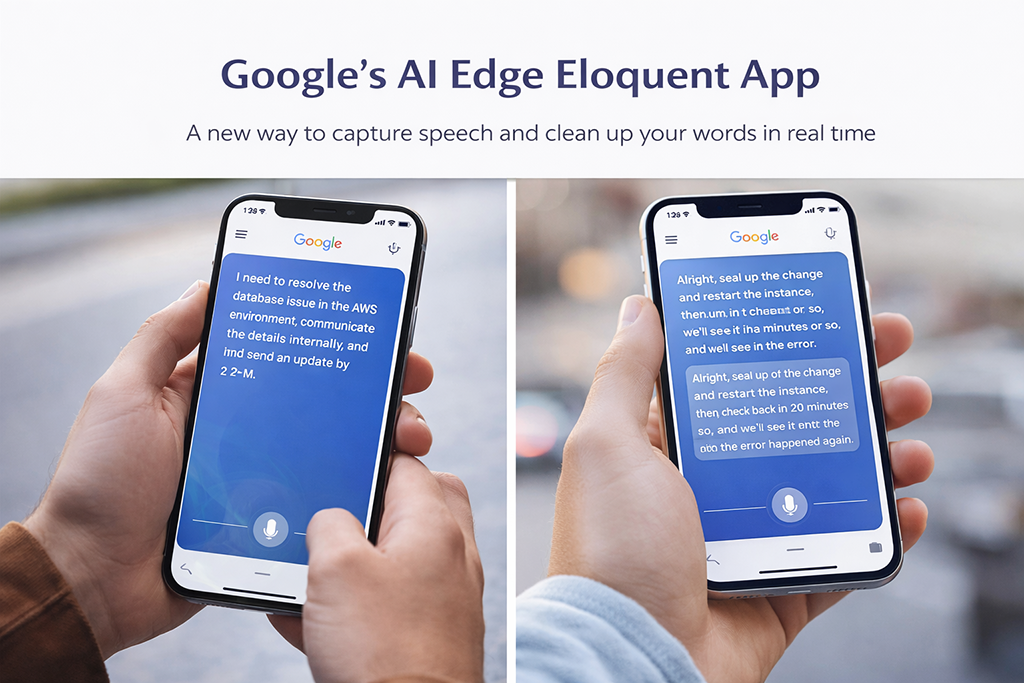
The idea of an AI app has moved far beyond simple assistants and chatbots. What we’re seeing now is a shift toward systems that don’t just respond to commands—but actually understand intent, clean up human input, and produce usable output in real time.
Google’s latest AI app is a clear example of that shift.
Instead of acting like a passive tool, this new generation of AI applications actively refines what users say or type. It restructures messy input, removes filler, and delivers something clean, organized, and immediately usable.
That may sound like a small improvement—but it’s not.
It’s a signal that the interface between humans and machines is changing—and that has major
Google’s new AI app is changing how we work. This AI app is more than a tool—it’s a shift in how developers interact with systems. implications for DevOps, software development, and cloud operations.
🔥 The Evolution of the AI App
How Google’s AI App Is Changing DevOps Workflows
To understand why this matters, you have to look at how AI apps have evolved.
Early AI tools were limited. They could:
- Answer basic questions
- Generate short responses
- Assist with simple tasks
But they struggled with:
- Context
- Accuracy
- Real-world usefulness
Today’s AI apps are different.
They are:
- Context-aware
- Integrated into workflows
- Capable of restructuring information
Google’s approach highlights a new phase where AI doesn’t just process language—it interprets meaning and reshapes it.
That shift is what makes these systems powerful.
🧠 From Raw Input to Structured Output
One of the biggest limitations in traditional tools is that they rely on clean input.
Humans rarely provide that.
We:
- Speak in fragments
- Use filler words
- Jump between ideas
Google’s AI app is designed to fix that automatically.
It takes rough input and turns it into:
- Clear sentences
- Structured information
- Readable content
For developers and DevOps teams, this is more than a convenience.
It improves the entire workflow.
⚡ Why This Matters for DevOps
DevOps is built on clarity, automation, and speed.
When input is messy, everything downstream suffers:
- Pipelines break
- Documentation becomes inconsistent
- Communication slows down
AI apps that clean and structure input solve a major bottleneck.

1. Better Inputs = Better Automation
Automation depends on predictable inputs.
If AI apps can standardize human input, they:
- Reduce errors
- Improve pipeline reliability
- Make automation more effective
2. Faster Documentation
Documentation is often overlooked—but critical.
DevOps teams constantly need to:
- Write incident reports
- Update runbooks
- Share knowledge
AI apps can transform rough notes into polished documentation instantly.
3. Improved Team Communication
Communication across engineering teams is often messy.
AI apps help by:
- Structuring messages
- Clarifying intent
- Reducing misunderstandings
That leads to faster collaboration and fewer mistakes.
🚀 The Move Toward On-Device AI
One of the most important aspects of Google’s approach is local processing.
Instead of relying entirely on the cloud, parts of the AI system run directly on the device.
This has major advantages:
- Speed: No network delay
- Privacy: Data stays local
- Reliability: Works even with poor connectivity
For enterprise environments, this is critical.
It reduces risk while improving performance.
💥 AI Apps Are Becoming the Interface
We’re moving toward a world where AI apps are not just tools—they are the interface itself.
Instead of:
- Clicking through menus
- Writing structured commands
Users will:
- Speak naturally
- Provide rough input
- Let AI handle the rest
This fundamentally changes how systems are designed.
⚠️ The Risks You Can’t Ignore
As powerful as these AI apps are, they introduce new challenges.
🔴 Over-Trust in AI Output
When AI produces clean, confident responses, it’s easy to assume they’re correct.
That’s not always the case.
Errors can:
- Go unnoticed
- Spread quickly
- Impact decisions
🔴 Loss of Technical Depth
If teams rely too heavily on AI:
- Skills may degrade
- Understanding may weaken
This is especially risky in DevOps, where deep system knowledge matters.
🔴 Data and Privacy Concerns
AI apps that understand context often require:
- Access to user behavior
- Continuous data processing
This raises questions about:
- Data ownership
- Security
- Compliance
💰 Business Impact of AI Apps
Despite the risks, companies are moving quickly to adopt AI apps.
The benefits are clear:
- Faster execution
- Reduced manual work
- Improved productivity
But the real advantage is speed.
Organizations that use AI effectively can:
- Build faster
- Deploy faster
- Iterate faster
That creates a significant competitive edge.
🔥 What This Means for DevOps in 2026
DevOps is already evolving—and AI apps are accelerating that change.
1. Automation Becomes the Default
Manual processes will continue to disappear.
AI will:
- Generate scripts
- Assist with deployments
- Optimize pipelines
2. Engineers Become Orchestrators
Instead of writing everything manually, engineers will:
- Guide AI systems
- Validate outputs
- Focus on architecture
3. Pipelines Become Smarter
Future CI/CD pipelines will:
- Detect issues automatically
- Adapt to changes
- Improve over time
🧠 The Bigger Shift
Google’s AI app is not just about productivity.
It represents a broader shift:
👉 From tools that follow instructions
👉 To systems that interpret intent
This is a fundamental change in computing.
🔥 Final Thoughts
The AI app is becoming one of the most important components of modern technology.
Google’s latest development shows where things are heading:
- Cleaner input
- Smarter output
- Faster workflows
For DevOps professionals, this is an opportunity to:
- Work more efficiently
- Build more resilient systems
- Stay ahead of the curve
The future is not just automated.
It’s intelligent.
🔗 Continue Reading:
- AI Security in 2026: How AWS Is Building Defenses
- AI Software Development 2026
- Platform Engineering vs DevOps